GUIDE · Sep 17, 2026
Cracked Microsoft Surface Screen Repair
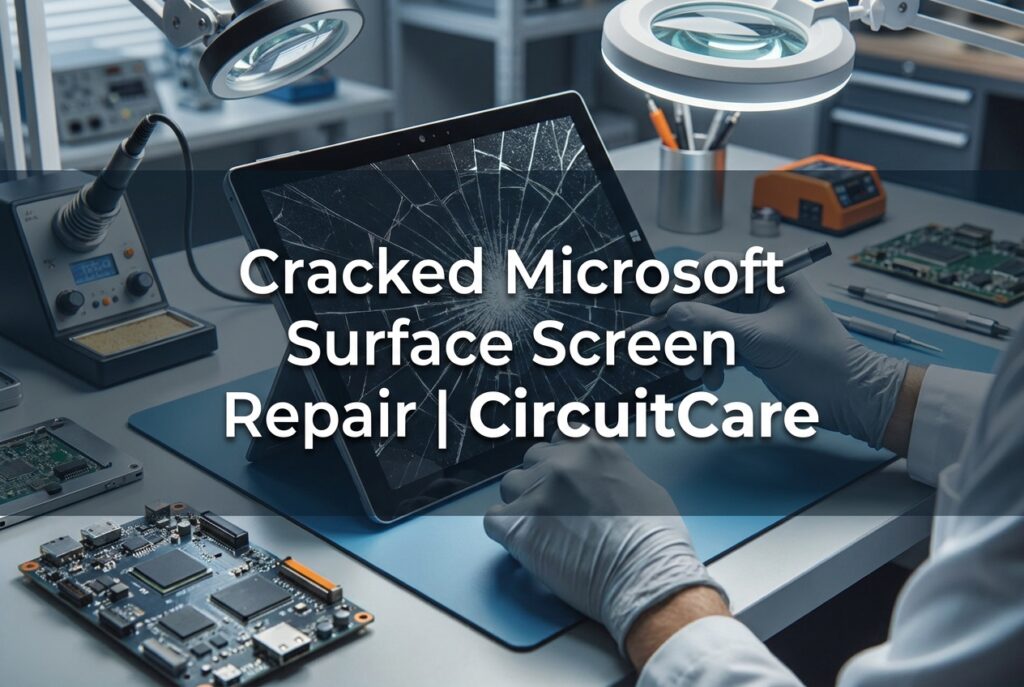
Cracked Microsoft Surface screen repair
A cracked Microsoft Surface screen can turn a productive workday into a frustrating pause. Whether it is a Surface Pro with a shattered edge or a Surface Laptop with a spreading hairline crack, the problem usually affects more than just the outer glass. The display, touch response, and long-term reliability of the device are all at risk. This guide explains what a cracked screen on a Microsoft Surface really involves, why DIY glass-only replacement is not a safe route, and how mail-in repair gives you a practical alternative to an expensive out-of-warranty replacement.
Understanding Your Cracked Microsoft Surface Screen
Microsoft Surface devices are not built like traditional laptops or monitors where the glass, touch layer, and LCD panel are separate parts held together by screws and brackets. On Surface Pro and Surface Laptop models, the outer glass, touchscreen digitizer, and LCD panel are bonded into a single laminated display assembly. This design reduces glare and makes the device thinner, but it also changes what happens when the screen cracks.
A cracked microsoft surface screen can show several symptoms at once. A visible crack may start as a hairline line near a corner and spread across the glass with continued use. Black spots, lines, or areas of dead pixels indicate damage to the LCD panel underneath the glass. If touch stops working in one area, the digitizer layer has likely been damaged even if the glass crack looks small. In some cases, the LCD still displays an image while the touchscreen no longer responds correctly, or the digitizer sends phantom touches that make the device impossible to use normally.
Because the layers are bonded with optically clear adhesive, a crack in the glass places stress on the LCD panel and digitizer below it. Pressure from normal use, closing a keyboard cover, or sliding the device into a bag can transfer through the crack and cause additional damage. This is why a small crack rarely stays small for long.
Can You Just Replace the Glass on a Surface Pro or Laptop?
The short answer is no, not as a standard repair. On most Microsoft Surface devices, you cannot safely replace only the outer glass. The glass, digitizer, and LCD panel are laminated together, and separating them requires heat, specialized tools, and a very high tolerance for failure. Without the correct equipment, the LCD panel cracks or the digitizer tears during separation. Even repair shops that refurbish screens often treat the display as a single replaceable unit because glass-only replacement carries too much risk.
This means a Surface tablet screen replacement is normally a full display assembly replacement. The replacement includes the glass, digitizer, and LCD panel already bonded together. That assembly is then installed into the device. The process avoids trying to peel apart a damaged screen and gives you a display that works correctly as one unit.
The same applies to Surface Laptop models. Although the laptop form factor might suggest that the glass is a simple top layer, the panel is still bonded. Attempting to remove just the glass using a heat gun, pry tools, or wire can destroy the LCD and leave you with a more expensive repair than the original crack required.
DIY Surface screen replacement is extremely risky for another reason. Surface devices use strong adhesive and fragile ribbon cables. Opening the device without experience can damage the motherboard connectors, battery, or the new display itself. Some repairs also require microsoldering if a connector has been knocked loose by the impact that cracked the screen. That kind of board-level work is not something a typical home toolkit can handle.
Risks of Using a Damaged Microsoft Surface Screen
It is not safe to keep using a Microsoft Surface with a cracked screen, especially if the crack is more than a hairline mark. The most immediate risk is physical injury. Cracked glass can splinter and leave sharp edges along the bezel or in the center of the screen. Running a finger over the display or carrying the device without a case can lead to cuts.
Beyond the glass itself, a cracked screen leaves the LCD panel and internal components exposed to dust and moisture. Dust can work its way between the glass and the LCD, creating permanent spots. Moisture can reach the digitizer or the logic board and cause corrosion, which may require microsoldering to repair. Even ordinary humidity can worsen a small crack over time.
A damaged touchscreen is also a functional risk. If the digitizer is cracked but still working, you may experience ghost touches that open apps, delete text, or change settings without input. If touch stops partly, you may lose the ability to use the device as a tablet until the display is replaced. Continuing to press on a cracked area can spread the crack and turn a repairable screen into a fully dead LCD.
If you must use the device before shipping it for repair, back up your data and avoid touching the cracked area. Placing a soft cover over the screen can reduce further damage, but this is only a short-term measure. A cracked Microsoft Surface screen should be treated as a repair priority, not a cosmetic issue.
Microsoft Official Service vs. Specialized Mail-In Repair
Microsoft’s official service is one option, but for an out-of-warranty Surface with a cracked screen, it often means a full-device replacement rather than a component-level repair. Depending on the model and warranty status, the cost can approach the price of a new device. You may also lose your data if the device is replaced, and the process can take longer than a focused screen repair.
Specialized mail-in repair works differently. Instead of replacing the entire unit, a repair technician opens the Surface, removes the damaged display assembly, and installs a compatible replacement. If the drop also damaged a connector, charging port, or other board-level component, a shop with microsoldering experience can repair that specific fault rather than declaring the whole device unrepairable. This often makes mail-in repair more cost-effective and less wasteful than a full replacement.
Ragox Technologies provides this type of service for Microsoft Surface devices across the United States. You do not need to live near a repair shop or find a local specialist. The device ships to the workshop, gets a focused diagnostic, and returns with the screen repaired. For customers who use a Surface Pro as their primary tablet, Ragox Technologies also provides broader tablet repair services that cover related issues beyond the display.
How Our Mail-In Microsoft Surface Screen Repair Works
Mail-in repair removes the biggest barriers to fixing a cracked Surface screen: finding a local shop with Surface experience and dealing with the cost of official replacement. The process is straightforward.
First, contact Ragox Technologies by phone or WhatsApp. Describe the damage, including whether the LCD still shows an image, whether touch works, and how the crack occurred. Clear photos help the technician assess the repair before you ship anything. This step avoids sending a device for a repair that may not be possible or that may need additional board work.
Second, prepare the device for shipping. Back up your data if the screen still responds or connect an external display if needed. Remove accessories, cases, and detachable keyboards. Pack the Surface in a box with enough padding to prevent pressure on the cracked panel. Do not ship the device with loose glass shards exposed. The before your repair FAQ includes pre-repair instructions and guidelines for preparing your device safely.
Third, ship the device. Ragox Technologies’ mail-in repair page explains the step-by-step process, including how to package the device and what to expect after it arrives. Once the Surface reaches the workshop, the technician opens it carefully, disconnects the battery, and removes the damaged display assembly. The replacement includes the LCD panel, digitizer, and glass bonded together as a single unit, so the device keeps the correct display performance and touch response.
After installation, the technician tests the LCD, touchscreen, digitizer, and display connectors. If the original drop caused board damage, microsoldering may be used to repair loose connectors or other faults. The screen is then sealed and the device is tested again before being packaged for return. The goal is not just to replace the glass but to return a Surface that works as it should.
Preventing Future Cracks and Protecting Your Surface Device
Microsoft Surface screens are strong, but they are not immune to pressure, drops, or objects pressing against the display. The best way to avoid another cracked microsoft surface screen is to reduce the two main causes: impact and uneven pressure.
For Surface Pro and other Surface tablets, use a protective case that covers the edges and adds a slight lip around the screen. A keyboard cover adds a layer of protection when the device is closed or carried in a bag, but it is not a hard shell. Avoid placing the tablet loose in a backpack with heavy books, chargers, or metal objects that can press against the screen. When setting the device down, place it on a flat surface rather than letting it rest on an object that contacts the middle of the display.
For Surface Laptop, close the lid before moving the device and never carry it by the screen. Avoid leaving pens, earbuds, or cables on the keyboard when closing the lid, because pressure from a small object can crack the glass from the inside. A padded laptop sleeve or dedicated compartment in a bag reduces flex and impact.
A screen protector can help prevent scratches and may absorb minor impacts, but it will not make the display unbreakable. The best protection is mindful handling and a case or sleeve that fits the device correctly. If a crack does appear, stop using the device as soon as possible and arrange a professional microsoft surface screen repair. Delaying the repair often turns a straightforward display replacement into a more complex job involving the digitizer, LCD, or even board-level microsoldering.
Need your device checked?
Tell us the model and symptoms so we can help you with the next step.
Request a repair ↗