
GUIDE · Sep 12, 2026
Controller stick drift: causes & fixes
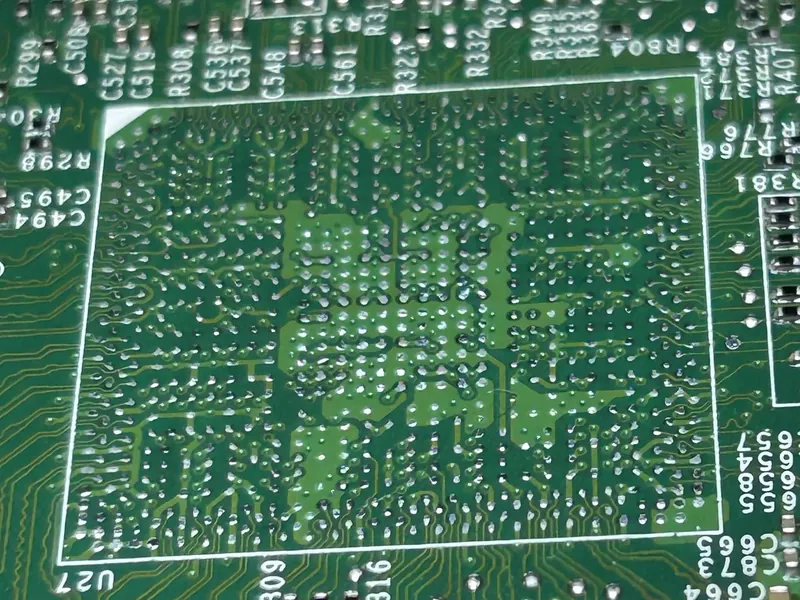
Stick drift is when your character walks, the camera pans or a cursor creeps while you aren’t touching the stick. On DualSense, Xbox and Joy-Con controllers it’s almost always the analog stick module wearing out, and it’s one of the most affordable repairs we do. Here’s how to confirm it, what to try at home, what fails inside and what the repair costs.
Confirm it’s drift, and which stick
Drift can be obvious in one game and invisible in another, because each game ignores a small area around the center, the dead zone. A quick test shows how bad it really is.
- Nintendo Switch: in System Settings, open Controllers and Sensors. Test Input Devices shows each stick’s position, and Calibrate Control Sticks shows whether it returns to the center.
- PlayStation and Xbox: the consoles have no stick test. Connect the controller to a computer by USB and open a browser gamepad tester or the controller test in Steam’s settings. At rest, both numbers for each stick should sit at or very near zero.
A value that stays off center or wanders on its own is electrical drift. A stick that feels gritty, catches or doesn’t spring back has a mechanical problem, often dirt, which cleaning sometimes helps.
What you can try at home
- Update the controller. PS5: Settings, Accessories, Controllers, Wireless Controller Device Software. Xbox: Settings, Devices & connections, Accessories, then the controller’s firmware. Switch: Controllers and Sensors, Update Controllers.
- Recalibrate. On a Switch, run Calibrate Control Sticks. PlayStation and Xbox controllers have no calibration menu on the console.
- Raise the dead zone in the game’s controller settings, if it offers one. It hides mild drift but doesn’t fix the wear, and the stick gets a little less precise.
- Clean around the stick. With the controller off, push the stick fully to one side, blow short bursts of compressed air into the gap at its base and roll it in full circles. Repeat on every side.
- Rule out the connection by trying it wired and wireless, and on another console or computer.
Don’t spray contact cleaner, alcohol or lubricant into the stick: liquids wash out the factory grease, leave residue on the sensor tracks and can reach the board. If the drift survives these steps, the module is worn and needs replacing.
Why sticks drift: what fails inside
Worn potentiometers
Standard sticks on DualSense, DualShock 4 and Xbox controllers read their position with two potentiometers, one per axis: a small metal wiper sliding over a resistive carbon track. Every movement rubs the two together. Over months of play the track wears, dust gets in and the reading at rest drifts off center. No setting restores a worn track; the module has to be replaced. Joy-Con sticks work the same way, in a smaller module.
How the module is attached
On DualSense and Xbox controllers, each module is soldered through the main board by a row of pins. Replacing it means clearing the solder from every joint without lifting pads or damaging the fine traces around them, fitting the new module and checking both axes and the click. Joy-Con sticks plug in through a thin ribbon cable instead, which makes the swap simpler, but that cable and its connector tear easily if the controller is opened carelessly.
Other faults that look like drift
We also find cracked solder joints, pads or traces damaged by an earlier repair attempt, corrosion from spilled drinks and torn ribbon cables. Less often, the fault is the supply or reference voltage on the board that the sticks are measured against. A good repair rules these out before blaming the stick.
Hall-effect and TMR sticks
Upgraded sticks read their position with a magnet and a sensor (Hall-effect, or TMR for tunnel magnetoresistance), with no wiper rubbing on a track, so they don’t drift from wear the way standard sticks do. We offer them as an upgrade when we replace a drifting stick, on the controllers they fit.
What the repair costs
Typical ranges on our pricing page:
| Repair | Typical range |
|---|---|
| DualSense / Xbox stick drift | $49–$69 |
| Stick drift with Hall-effect / TMR upgrade | $69–$89 |
| Joy-Con drift (pair) | $49–$69 |
| Controller cleaning and service | $29–$39 |
The diagnosis of a controller is free, like any other device: you pay to ship it to us and return shipping is included. The firm price comes in your quote after diagnosis, including whether one or both sticks need replacing, and nothing is repaired without your approval. More on our controller repair page.
- No fix, no fee: if the controller can’t be repaired, you pay nothing for the diagnosis and we ship it back at our cost.
- Warranty: 90 days on parts and labor.
Before you send it
- In the form, say which stick drifts and in which direction, and whether you want the Hall-effect or TMR upgrade.
- Send only the controller, without cable, charging stand or grips. The Joy-Con price is for the pair; send both if both drift.
- If the battery is swollen or the shell bulges, tell us before shipping: carriers restrict mailing damaged lithium batteries.
- Pack it in a small rigid box with cushioning and the printed intake ticket on top.
Frequently asked questions
Will the drift come back after the repair?
A new standard stick starts with a fresh track but still wears with use. If you play a lot, the Hall-effect or TMR upgrade avoids that wear. Either way, the repair has a 90-day warranty on parts and labor.
Can compressed air or recalibrating fix it for good?
Only when the cause is dirt or a calibration that drifted. A worn track can be masked for a while, but the drift comes back.
Do controllers pay a bench fee?
No. The diagnosis is free: you only pay to ship it to us and for the repair, if you approve it. Return shipping is included.
Which controllers do you repair?
Our price table covers DualSense, Xbox and Joy-Con controllers. For other models, ask us before you ship.
Is it worth repairing instead of buying a new one?
Compare the range above with the price of a new controller. A repair keeps the one you have, and the Hall-effect or TMR upgrade removes the cause of wear-related drift, which a new standard controller doesn’t.
Need your device checked?
Tell us the model and symptoms so we can help you with the next step.
Ask about a repair ↗