
GUIDE · Sep 12, 2026
Phone not charging? What to check first
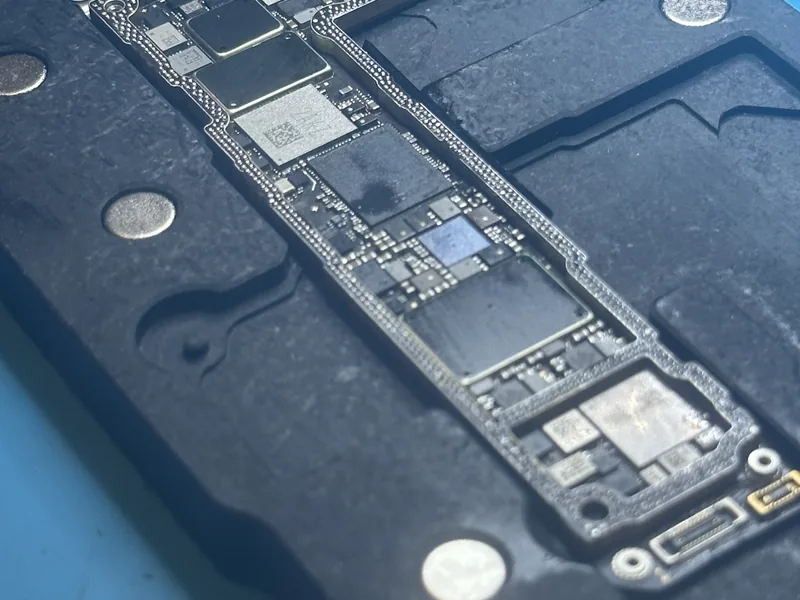
A phone that won’t charge often has a cable, adapter or lint problem, and you can rule those out in a few minutes. When it isn’t that, the fault is in the charging port, the battery or the charging circuit on the board. Here’s how to tell them apart, when to stop testing, what fails inside and what the repair costs.
Start with the cable, adapter and outlet
- Swap the cable and adapter for ones that work on another phone, ideally original or certified (MFi for Lightning, USB-IF for USB-C). Cheap cables are the most common reason a phone “suddenly stopped charging”.
- Try another power source: a wall outlet instead of a power strip, or a computer’s USB port.
- Take the case off. A thick or worn case can keep the plug from going all the way in.
- Try wireless charging if your phone supports it. If it charges on a pad but not by cable, the battery and most of the circuit work, and the problem is the port or the parts right behind it.
- Restart the phone, or force a restart if the screen doesn’t respond, to rule out a software glitch.
Check the port for lint, safely
Pocket lint packs into the bottom of the port until the plug can’t seat fully. The typical sign: it only charges with the cable at an angle, or the plug no longer clicks in.
- Turn the phone off and look in with a flashlight. Packed lint is a gray or dark layer at the bottom.
- Loosen it very gently with a wooden or plastic toothpick, never a needle, pin or anything metal. In USB-C, keep away from the thin center tongue, which breaks easily.
- If the phone shows a liquid or moisture warning, unplug it and let it dry with some airflow. No heat, hair dryer or rice, and no charging until the warning clears.
Rule out settings that pause charging
- iPhone: Optimized Battery Charging can hold at 80% for a while, recent models offer an 80% limit, and a warm phone may show “Charging On Hold”. You’ll find these in Settings, Battery.
- Android: adaptive charging or battery protection can stop at 80% or 85%. Safe mode rules out an app that interferes with charging.
- Heat: any phone pauses charging when it’s too hot. Let it cool, away from the sun, a dashboard or a pillow.
When to stop testing
If the phone gets unusually hot, smells burnt, got wet or the screen is lifting from a swelling battery, unplug it if it’s safe and stop charging it. Don’t press or puncture the battery, and don’t mail a phone with a swollen or damaged battery: carriers restrict shipping damaged lithium batteries, so contact us first.
Is it the battery, the port or the board?
An inline USB meter, a small adapter that shows the current the phone draws, makes these signs clearer:
- Port: it charges only at an angle, the plug is loose, or wireless charging works and the cable doesn’t.
- Battery: it charges, but the percentage drops fast or jumps, or the phone dies at 20–30%. On an iPhone, a maximum capacity below 80% in Battery Health means a worn battery.
- Board: nothing happens with any charger, the meter shows almost no current, or the area near the port warms up while plugged in.
What fails inside
The port and its flex cable
On iPhones, the port is part of a flex cable that often carries the microphones too. Many Android phones put the USB-C port on a small daughterboard; others solder it straight to the main board. Worn contacts, bent pins and moisture corrosion are the usual faults. A flex or daughterboard is replaced as a part; a soldered port needs microsoldering.
The battery
Lithium batteries lose capacity with every cycle. A worn one can refuse to charge, misreport its percentage or shut the phone off under load, and its own protection circuit can fail and cut it off completely.
The charging circuit on the board
Between the port and the battery sit a USB controller that negotiates with the charger (the Tristar or Hydra chip on many iPhones), the charging chip and over-voltage protection, which non-standard chargers often damage. Another typical cause is a shorted capacitor on the charging line, which drags the voltage down; finding it takes measurements, often with a thermal camera or by injecting a low voltage to see which part heats up.
Liquid damage
Liquid keeps corroding the board after it dries, especially near the port, where the charging voltage is: the sooner it’s cleaned, the more of the board is saved. More on our water damage repair page.
What the repair costs
For board-level charging faults, typical ranges on our pricing page:
| Repair | Typical range |
|---|---|
| iPhone board-level (no power / no charging) | $149–$349 |
| iPhone / iPad data recovery | $450–$750 |
Data recovery applies when the phone won’t turn on and its contents are what matter. If the fault turns out to be the port, flex or battery, or the phone is another brand, the quote gives the price before any work. Nothing is repaired without your approval, and boards another shop already worked on carry an extra $50.
- Diagnosis: free, with no bench fee. You pay only if you approve the repair.
- No fix, no fee: if it can’t be repaired, you pay nothing and we ship it back at our cost.
- Shipping and warranty: you pay to ship it to us, return shipping is included, and 90 days on parts and labor.
Before you send it
- Back it up if it still turns on, and remove the SIM, any memory card and the case.
- Don’t send passcodes in the form or inside the package.
- Note in the form which chargers you tried, whether wireless charging works and whether it got wet or was dropped.
- Pack it in a rigid box with cushioning and the printed intake ticket on top.
Frequently asked questions
Can a cheap charger damage my phone?
Yes. Non-standard chargers and cables can deliver unstable voltage that damages the port’s protection or the charging chip. Use original or certified accessories.
It only charges with the cable at an angle. What is it?
Usually packed lint or worn contacts. Clean the port as described above; if that doesn’t help, the port or its flex needs replacing.
What if my phone can’t be repaired?
No fix, no fee: you pay nothing and we ship the phone back at our cost.
Will I lose my data?
A port, battery or charging repair doesn’t normally erase the phone, but data can’t be guaranteed in every case. Back up first if you can, and if the data is what matters, tell us in the form.
Need your device checked?
Tell us the model and symptoms so we can help you with the next step.
Ask about a repair ↗